Data visualisation guidelines

Why, what, how

Marek Ostaszewski

MADS6

Wednesday, 18 February 2026

Learning objectives


  • Understand the purpose of data visualisation
  • Identify data visualisation tasks and the audience
  • Understand visual channels and their function
  • Create a structured narrative in data viusalisation
  • Apply principles of gestalt and data-to-ink ratio

Introduction

Data visualisation questions


  • Why
    • tasks and audience
  • What
    • visual channels and narrative
  • How
    • guidelines

Data visualisation – why?


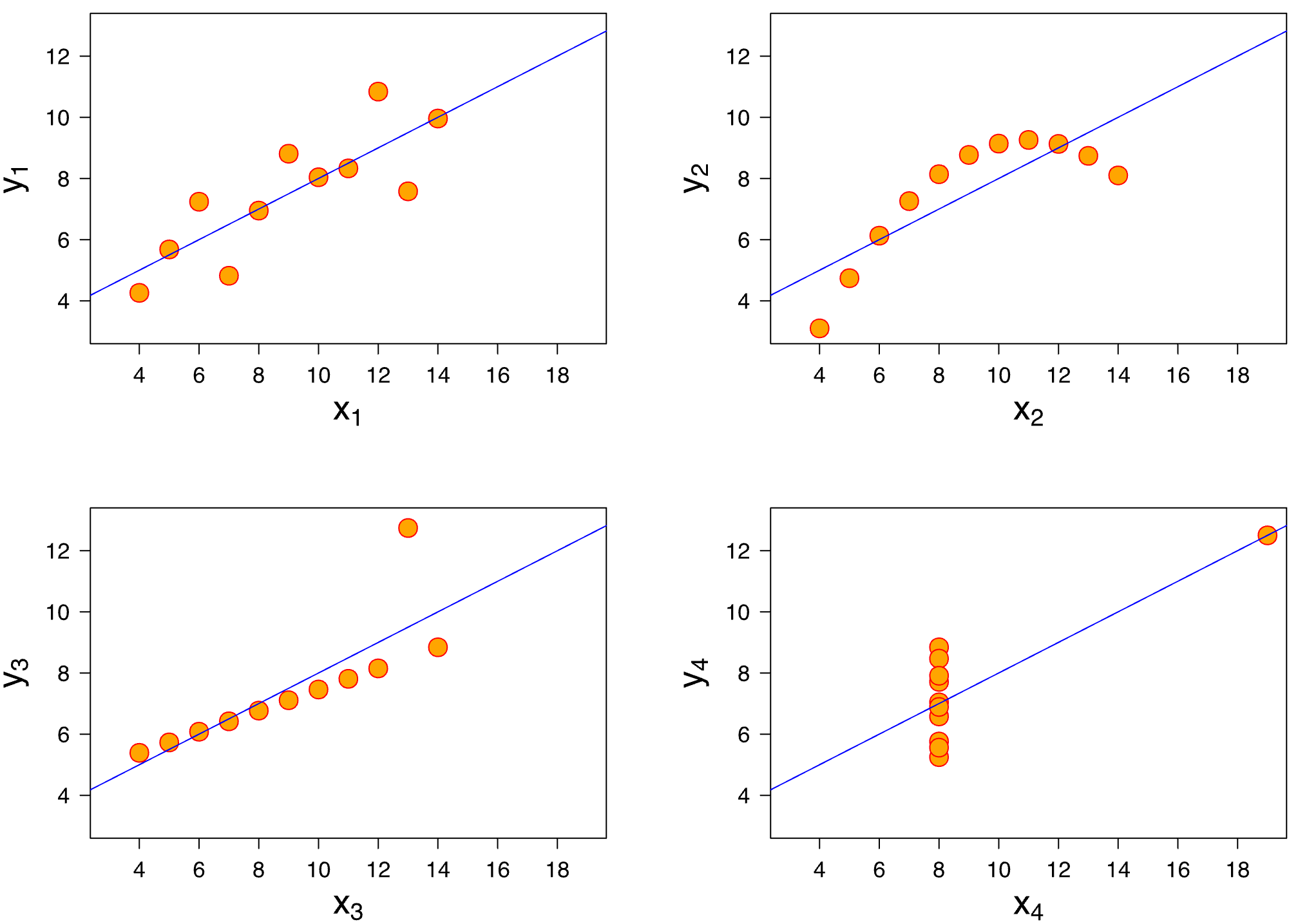
Anscombe’s quartet (https://en.wikipedia.org/wiki/Anscombe%27s_quartet)

x1 x2 x3 x4 y1 y2 y3 y4
10 10 10 8 8.04 9.14 7.46 6.58
8 8 8 8 6.95 8.14 6.77 5.76
13 13 13 8 7.58 8.74 12.74 7.71
9 9 9 8 8.81 8.77 7.11 8.84
11 11 11 8 8.33 9.26 7.81 8.47
14 14 14 8 9.96 8.10 8.84 7.04
6 6 6 8 7.24 6.13 6.08 5.25
4 4 4 19 4.26 3.10 5.39 12.50
12 12 12 8 10.84 9.13 8.15 5.56
7 7 7 8 4.82 7.26 6.42 7.91
5 5 5 8 5.68 4.74 5.73 6.89
Property Value Accuracy
Mean of x 9 exact
Sample variance of x 11 exact
Mean of y 7.50 to 2 decimal places
Sample variance of y 4.125 ±0.003
Correlation between x and y 0.816 to 3 decimal places
Linear regression line y = 3.00 + 0.500x to 2 (y) and 3 (x) decimal places
Coefficient of determination of the linear regression 0.67 to 2 decimal places

Data visualisation – why?


Anscombe’s quartet (https://en.wikipedia.org/wiki/Anscombe%27s_quartet)

x1 x2 x3 x4 y1 y2 y3 y4
10 10 10 8 8.04 9.14 7.46 6.58
8 8 8 8 6.95 8.14 6.77 5.76
13 13 13 8 7.58 8.74 12.74 7.71
9 9 9 8 8.81 8.77 7.11 8.84
11 11 11 8 8.33 9.26 7.81 8.47
14 14 14 8 9.96 8.10 8.84 7.04
6 6 6 8 7.24 6.13 6.08 5.25
4 4 4 19 4.26 3.10 5.39 12.50
12 12 12 8 10.84 9.13 8.15 5.56
7 7 7 8 4.82 7.26 6.42 7.91
5 5 5 8 5.68 4.74 5.73 6.89

Data visualisation – why not?


Data visualisation – why not?


Avoid visualisation if you

  • Have a small number of data entries
  • Need to communicate numbers or formulas precisely
  • Only want to impress and/or confuse

Tasks and audience

Data visualisation – tasks


Data visualisation – tasks


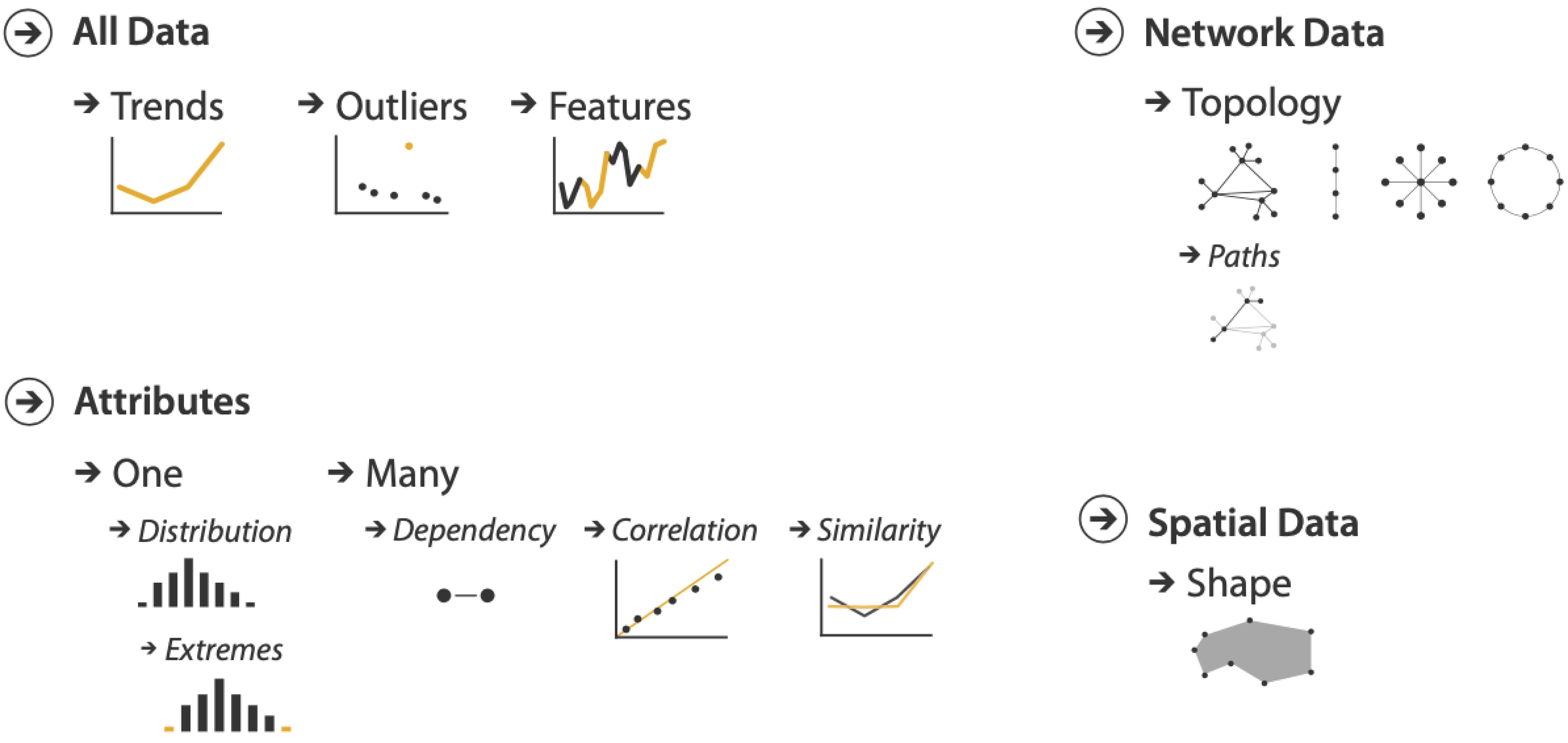
Exploration
Finding (with audience)
unknown patterns in data

  • Distributions
  • Outliers
  • Comparisons of conditions
  • Clusters

Explanation
Showing (to the audience)
known/postulated patterns in data

  • Significant points
  • (Postulated) patterns
  • Trends
  • Causality/Logic


Question

When is the audience optional, and what does it mean?

Data visualisation – audience


Your audience is not you

  • Has a different background
  • Sees your visualisation for the first time
  • Doesn’t know its purpose

Think about

  • Who will see your visualisations and what is the purpose?
  • What is your message?
  • Does the visualisation help to deliver the message?
  • Are you there in person to explain? (presentation vs document)


Visual channels and narrative

  • Why
    • tasks and audience
  • What
    • visual channels and narrative
  • How
    • guidelines

Components of data visualisation


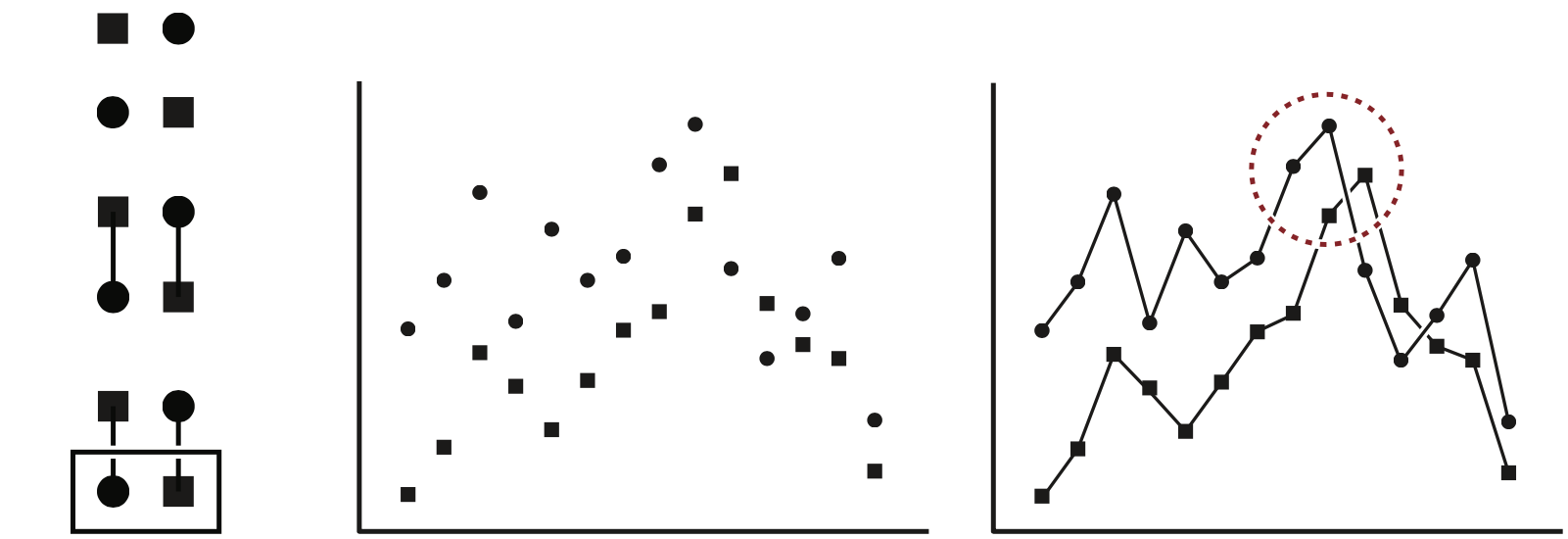
Visual channel

(also: aesthetic, visual variable)

A visual attribute used to represent data (e.g. position, length, colour)

Diagram

(also: plot, chart, graph)

An image displaying data mapped to one or more visual channels, supported by text labels

Figure

An image composed of one or more diagrams

Visual channels (example - five variables)
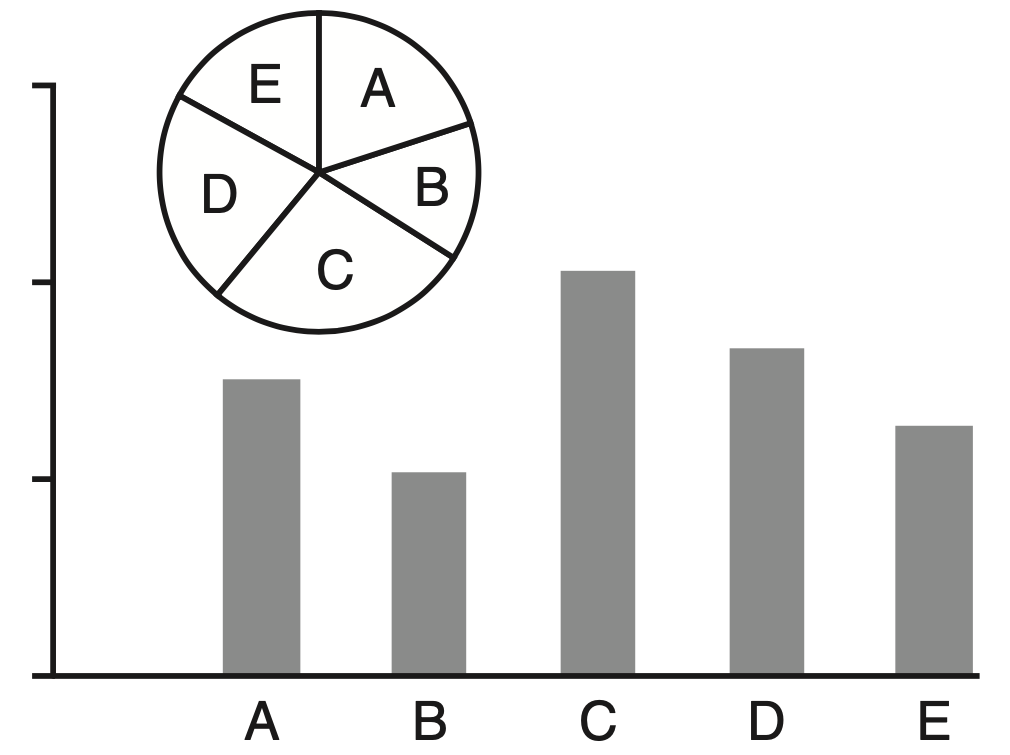
Visual channels (example - five variables)
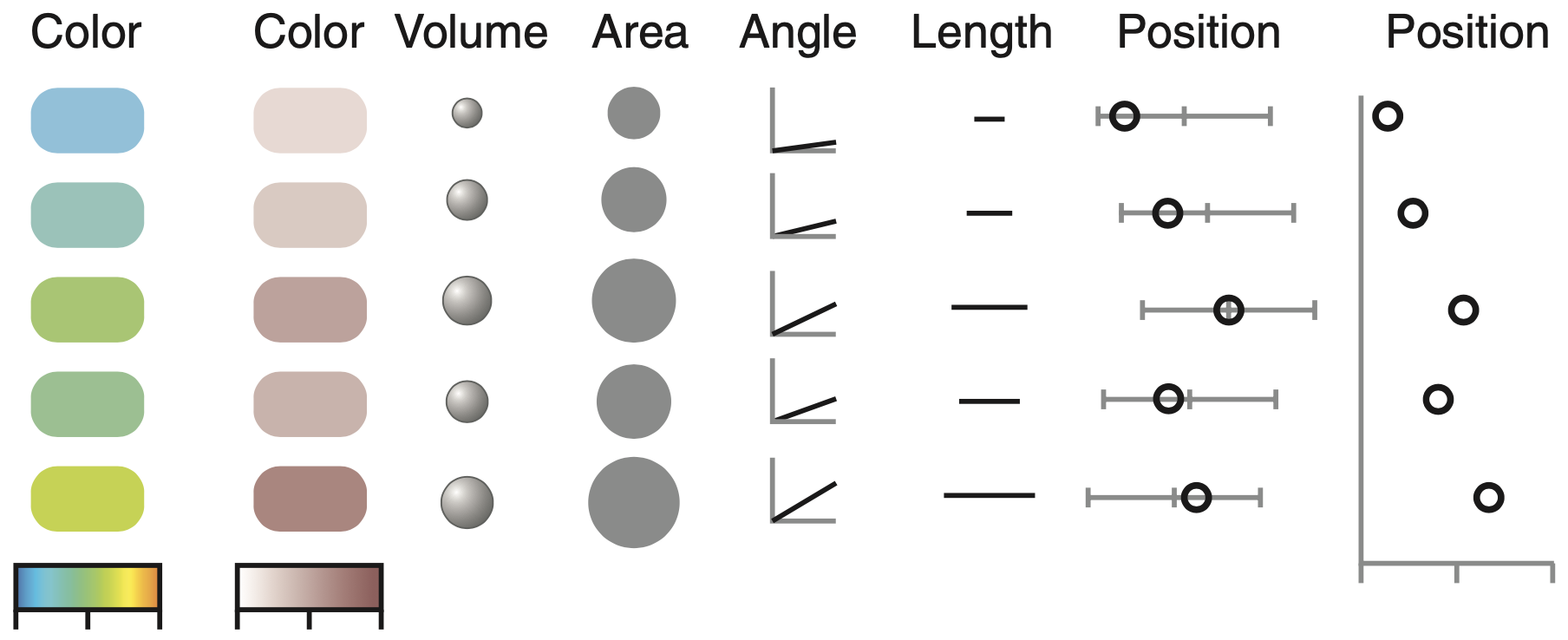

Visual channels (example - five variables)


Rank Channel
1 Positions on a common scale
2 Positions on the same, nonaligned scales
3 Lengths
4 Angles, slopes
5 Area
6 Volume, colour saturation
7 Color hue


Visual channels - summary


  • Multiple guides available (no definitive one)

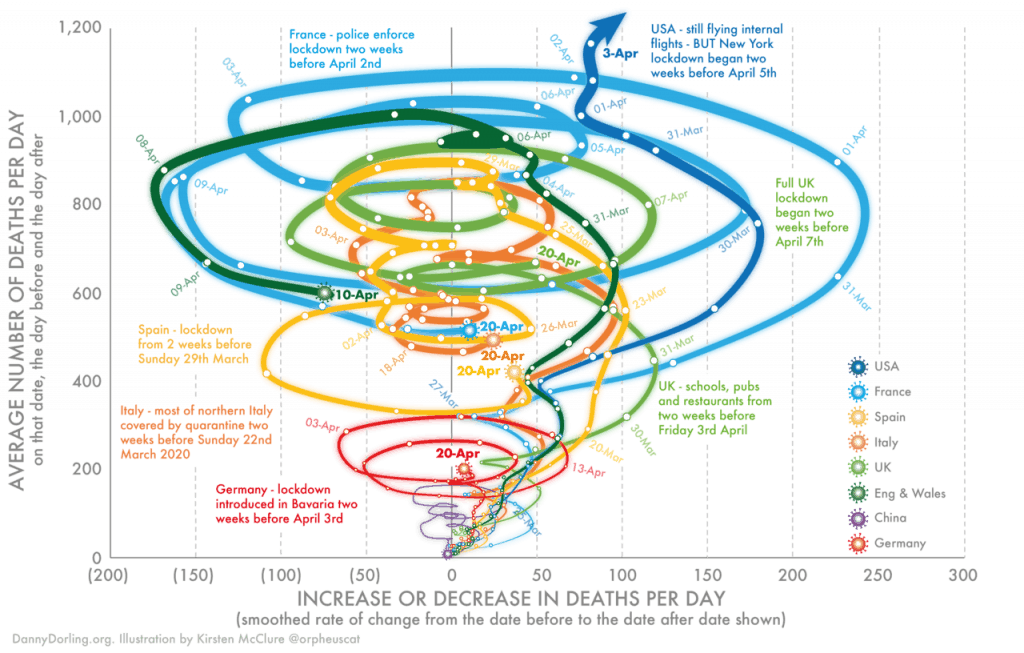
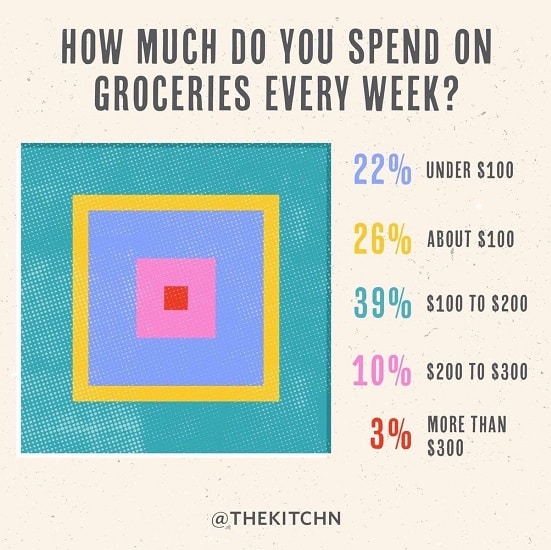
  • Human eye struggles with shape and colour (for precise information)

  • Focus on showing data and avoid fancy

In practice: visual channel, diagram, figure


Anscombe’s quartet (https://en.wikipedia.org/wiki/Anscombe%27s_quartet)

x1 x2 x3 x4 y1 y2 y3 y4
10 10 10 8 8.04 9.14 7.46 6.58
8 8 8 8 6.95 8.14 6.77 5.76
13 13 13 8 7.58 8.74 12.74 7.71
9 9 9 8 8.81 8.77 7.11 8.84
11 11 11 8 8.33 9.26 7.81 8.47
14 14 14 8 9.96 8.10 8.84 7.04
6 6 6 8 7.24 6.13 6.08 5.25
4 4 4 19 4.26 3.10 5.39 12.50
12 12 12 8 10.84 9.13 8.15 5.56
7 7 7 8 4.82 7.26 6.42 7.91
5 5 5 8 5.68 4.74 5.73 6.89

Narrative in data visualisation


  • Narrative: a spoken or written account of connected events; a story (Oxford dictionary)

  • Here: a sequence of diagrams, arranged for better understanding of your data and your points

    • spoken: a presentation (you are there to explain)
    • written: a document, a poster, an interface (less control over intake)

  • Your conscious choice

Narrative in data visualisation


https://www.youtube.com/watch?v=OV5J6BfToSw

Narrative in data visualisation


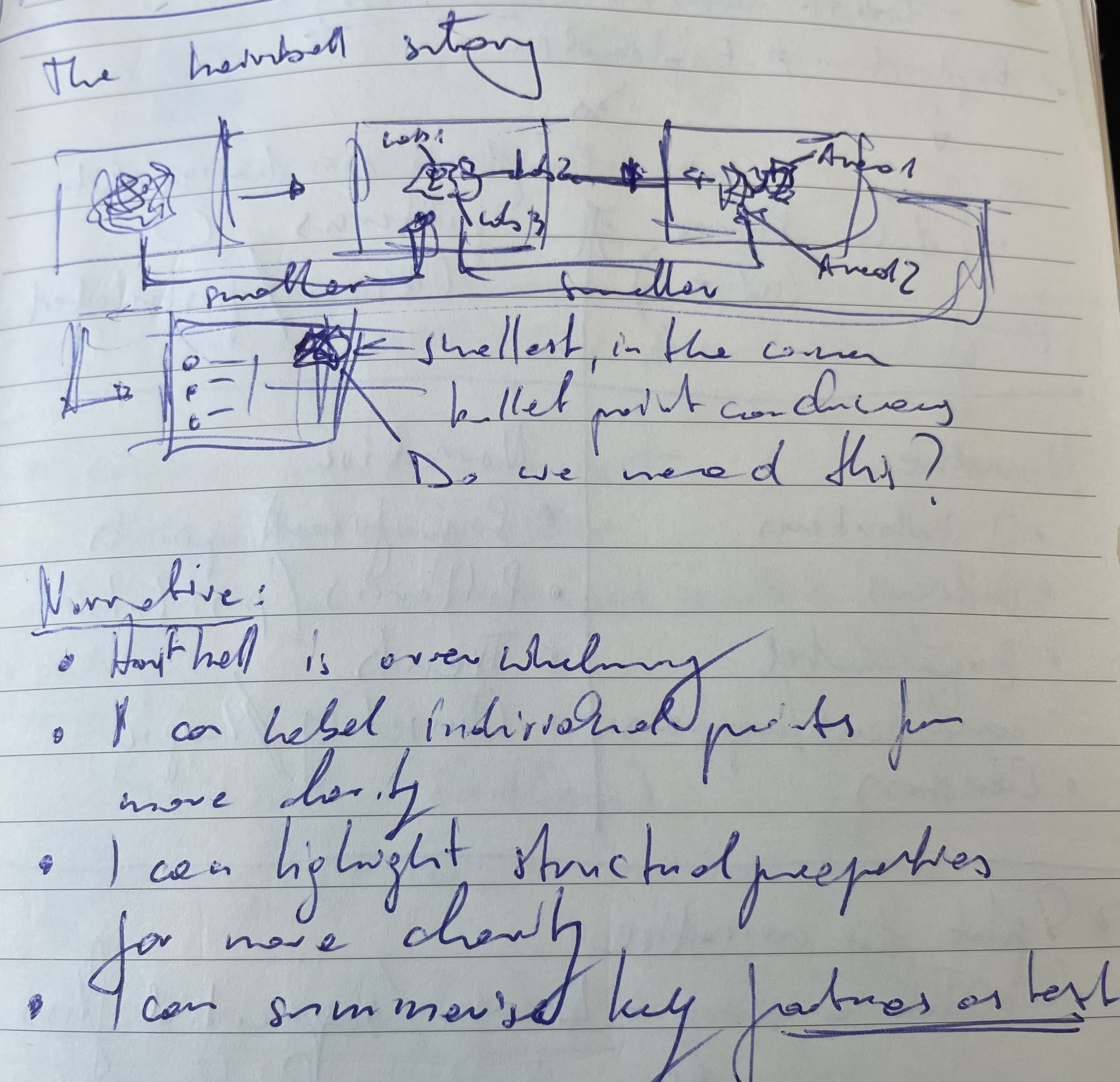
  • Decide on key points in your data
  • Think of a logical sequence
    they should follow
  • Draft with pen and paper
  • Tell a story

☒ fabricate/obscure data
☑ be kind to your audience
Structure of a (visual) narrative


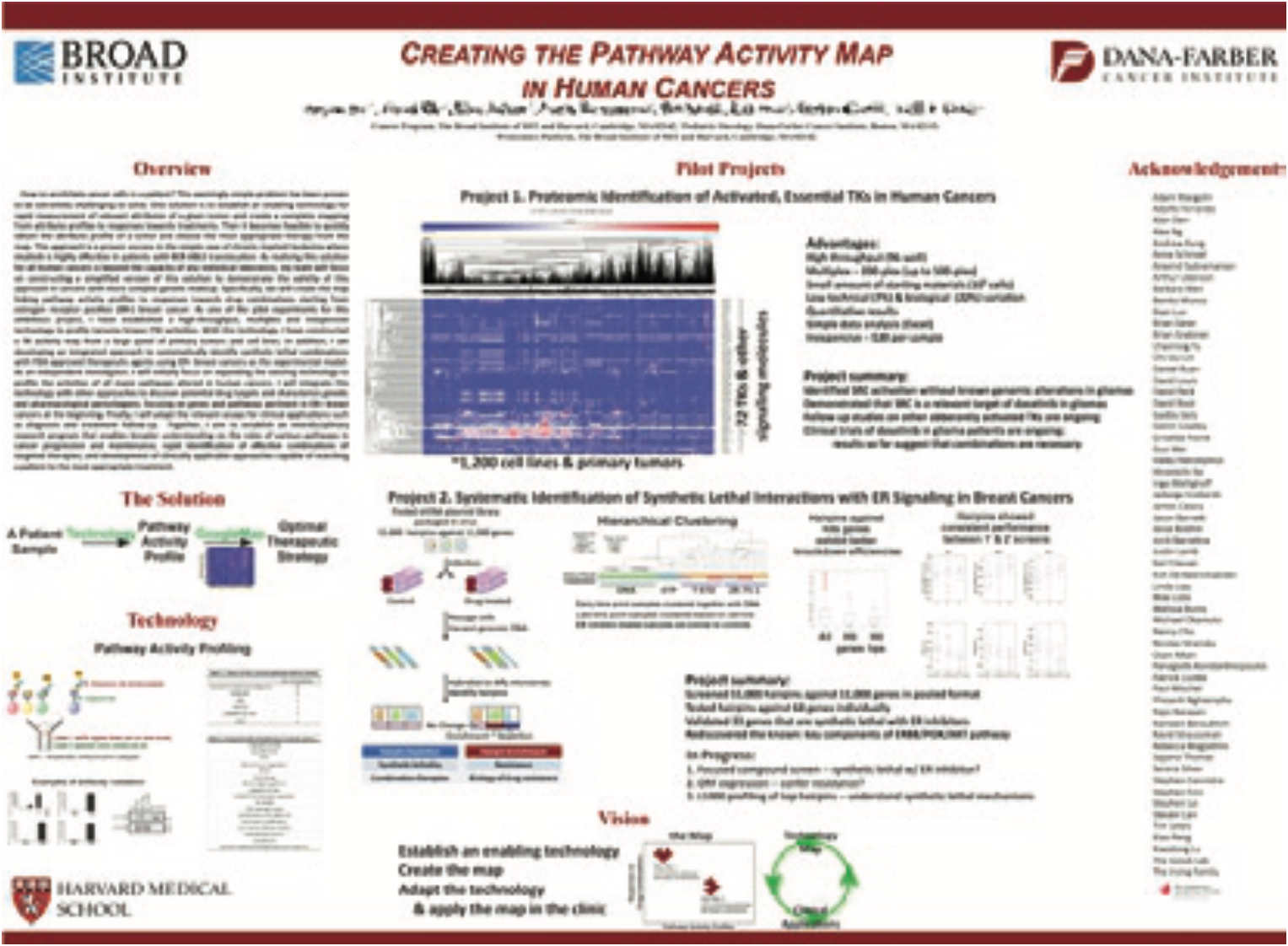
  • Keep it linear
    • Applies to sequences of diagrams and figures
    • Improves information intake (your audience is not you)

Exploration
finding (with audience)
unknown patterns in data

  • Distributions
  • Outliers
  • Comparisons of conditions
  • Clusters

Explanation
showing (to the audience)
known/postulated patterns in data

  • Significant points
  • (Postulated) patterns
  • Trends
  • Causality/Logic

Structure of a (visual) narrative


  • Keep it linear

    • Applies to sequences of diagrams and figures
    • Improves information intake (your audience is not you)

  • Exploration vs Explanation

  • If you don’t know what you want from me (audience), how would I?

    • It’s OK to ask audience for help, but do this consciously

  • Overview First, Zoom and Filter, Details on Demand
    from “The eyes have it: a task by data type taxonomy for information visualizations”
    B. Shneideman Proceedings 1996 IEEE Symposium on Visual Languages


Guidelines on layout and content

  • Why
    • tasks and audience
  • What
    • visual channels and narrative
  • How
    • guidelines

Layout guidelines: Gestalt principles


In essence

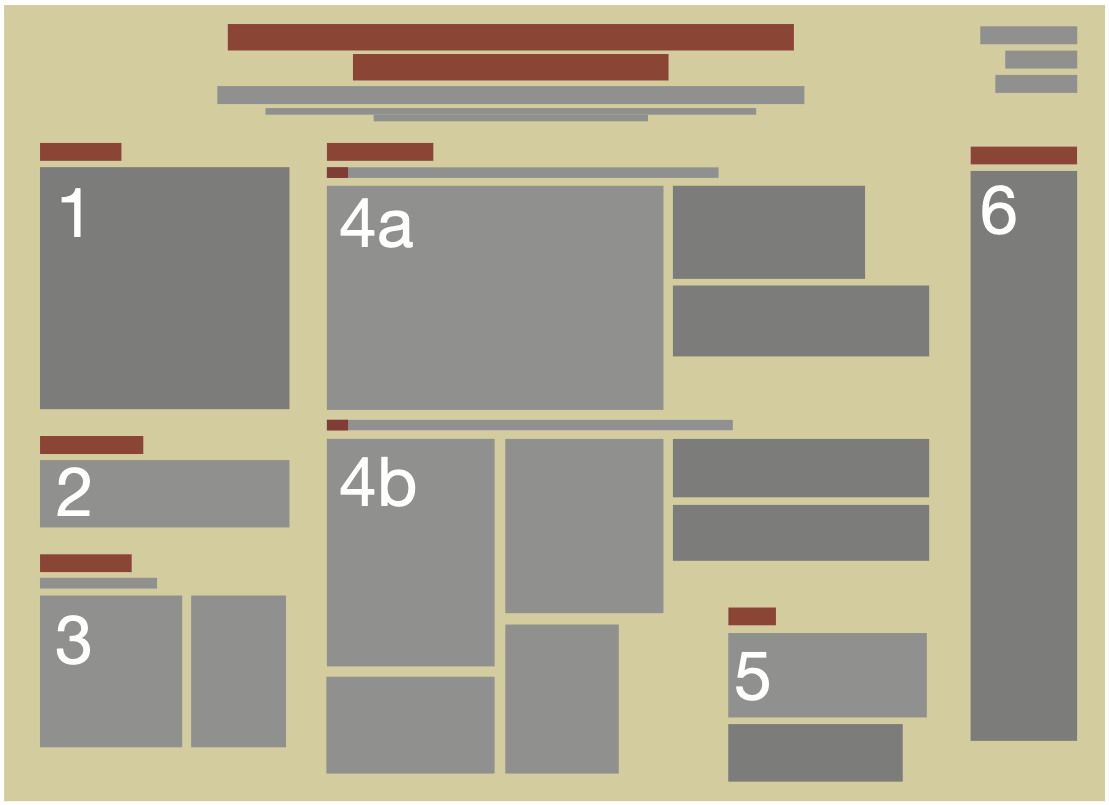
Positioning of elements guides the eye and helps with the message.


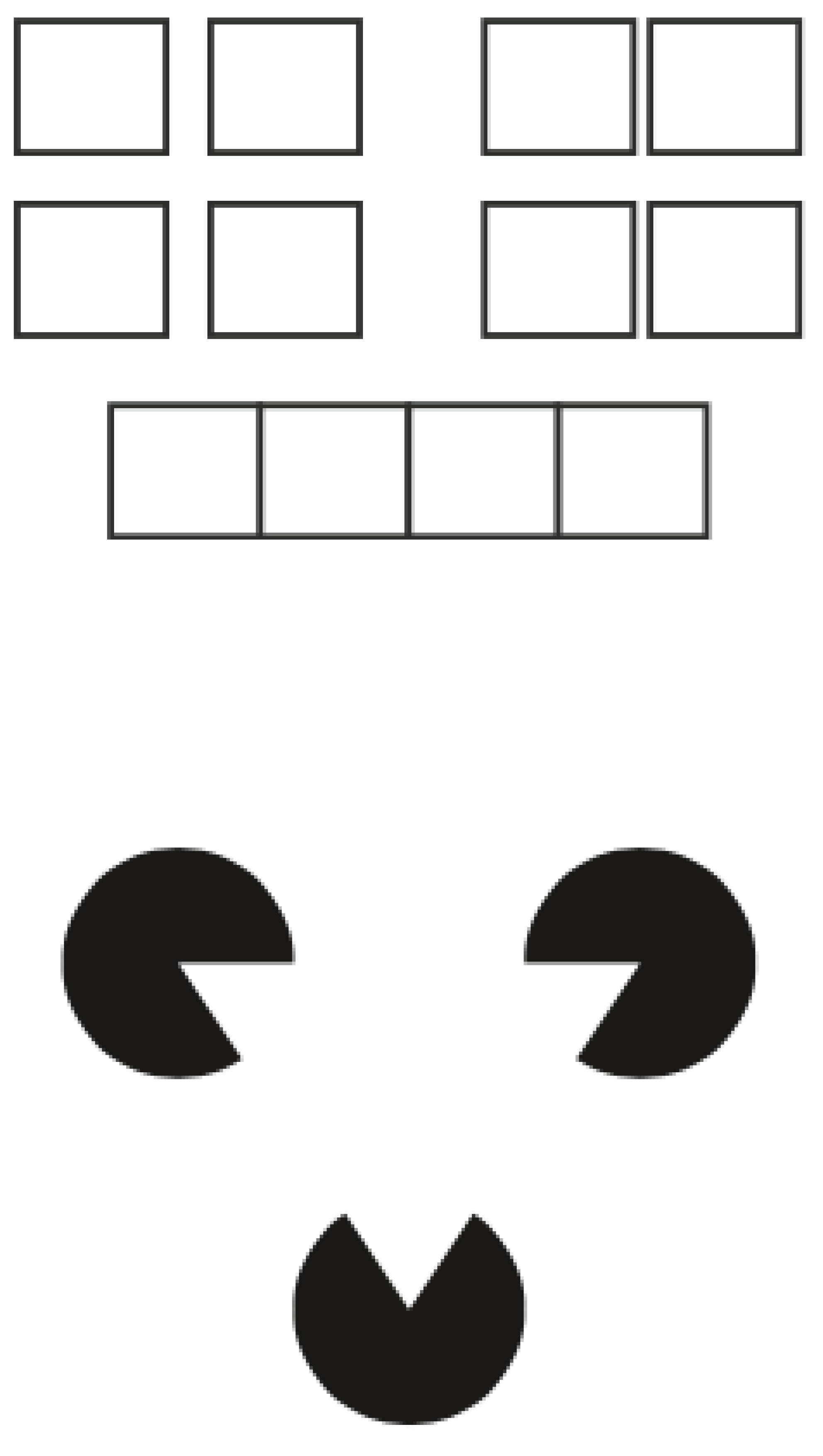
  • “Gestalt” – German for “shape” or “form”

  • Proposed by German psychologists in 1920

  • Our mind organises what we see

  • We combine information from parts into a whole

Gestalt principles


Gestalt principles - negative space


Gestalt principles - negative space


Content guidelines: data-ink ratio


In essence

Data visualisation can be refined by keeping only necessary components.

Data-ink

non-erasable core of a diagram, the non-redundant ink needed to visualise data

Data-ink ratio

 =  data-ink divided by the total ink used to print the diagram
 =  the proportion of total ink in the non-redundant display of data
 =  1.0 - the proportion of a diagram that can be erased without loss of data

Five principles of data-ink


  • Above all else: show the data
  • Maximize the data-ink ratio
  • Erase non-data ink
  • Erase redundant data-ink
  • Revise and edit

Example: displaying the length of proteins


protein length
SCN1A 1002
ACT1 921
SLC1A3 801
IRG1 789
SCN4A 600
SCN5A 585
SCN2A 543
APO42 120

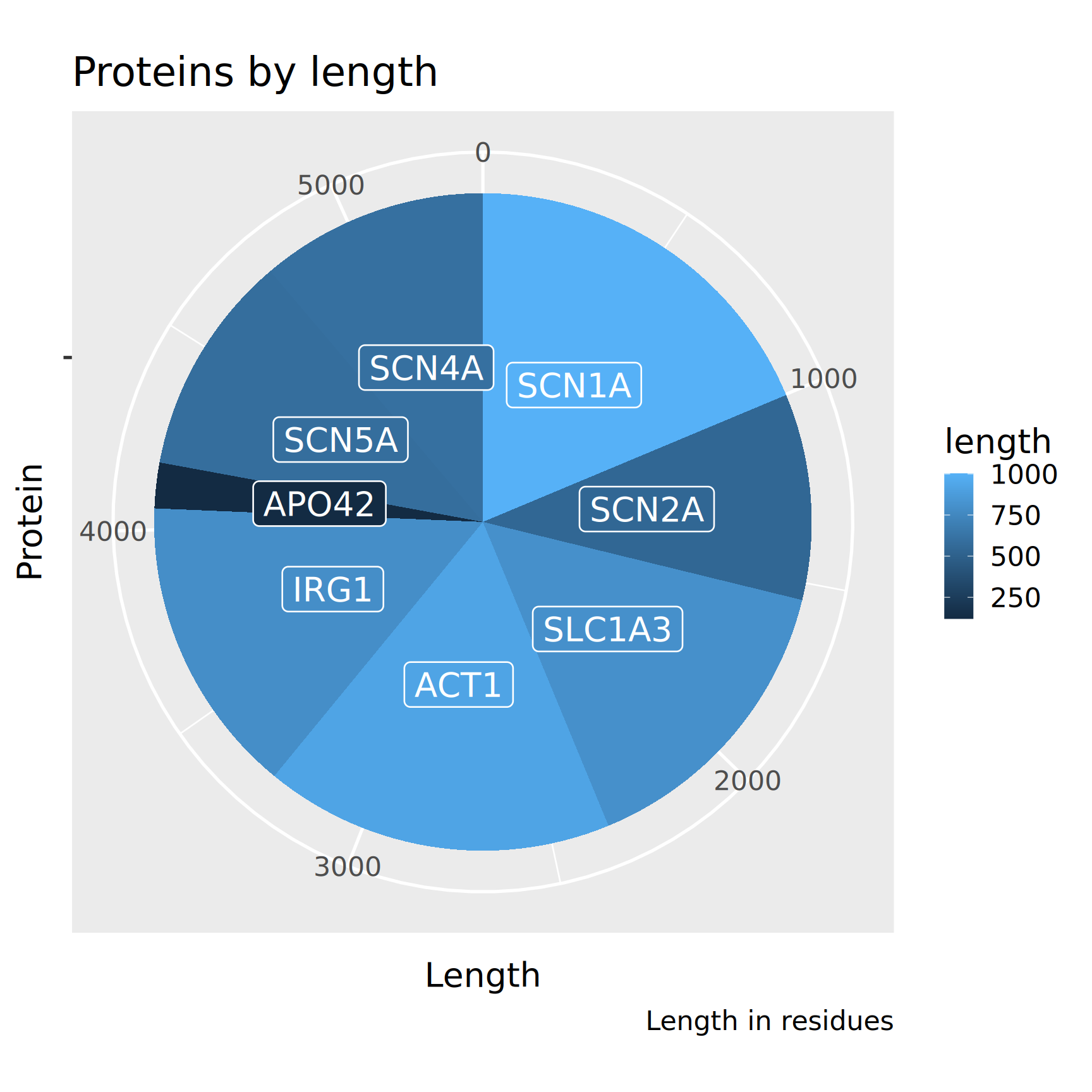
Basic pie chart

What is wrong here?
(visual channels)

Bar plot with categorical colors
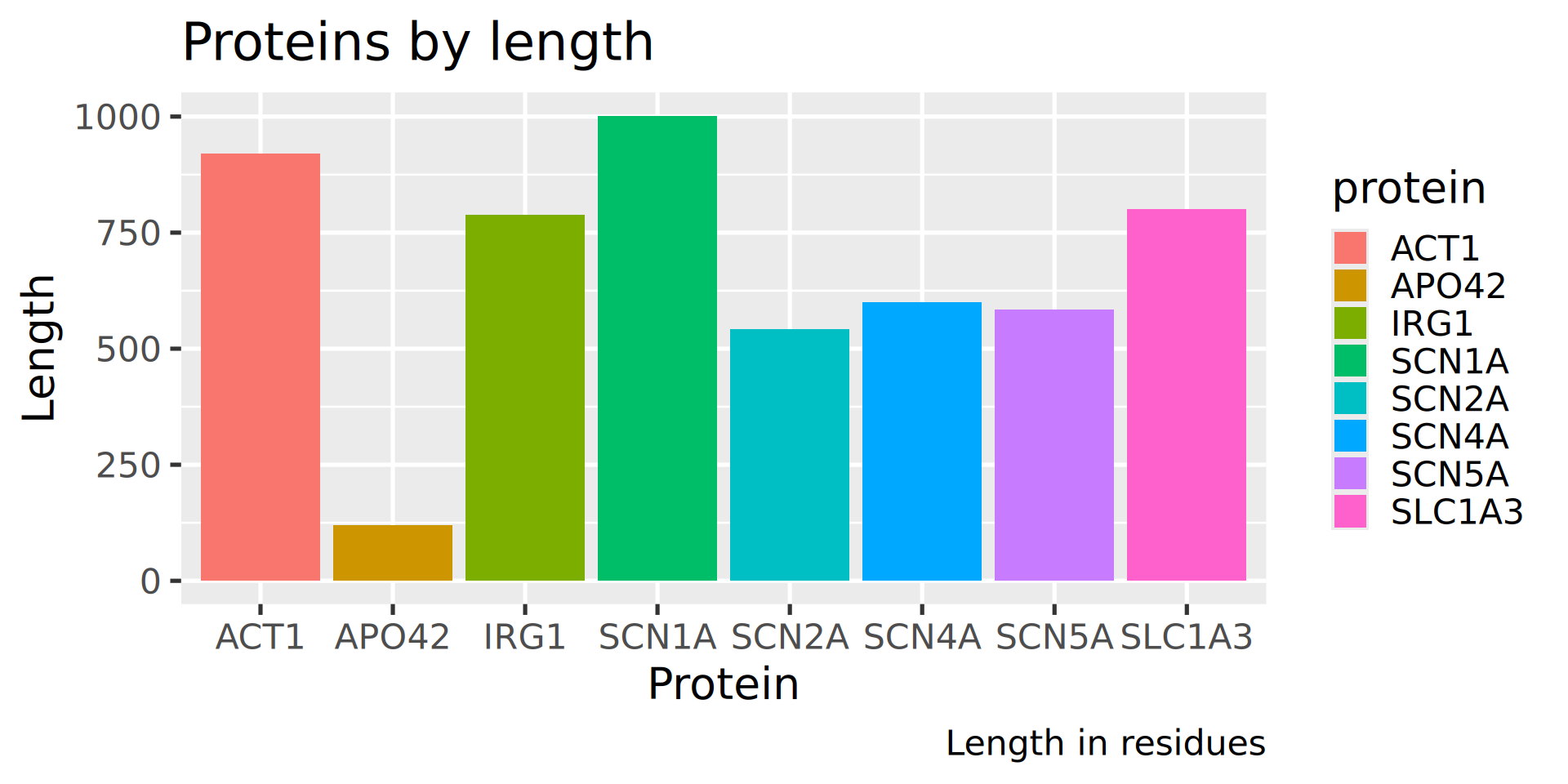

What is wrong here?

Sorted bars, rotated
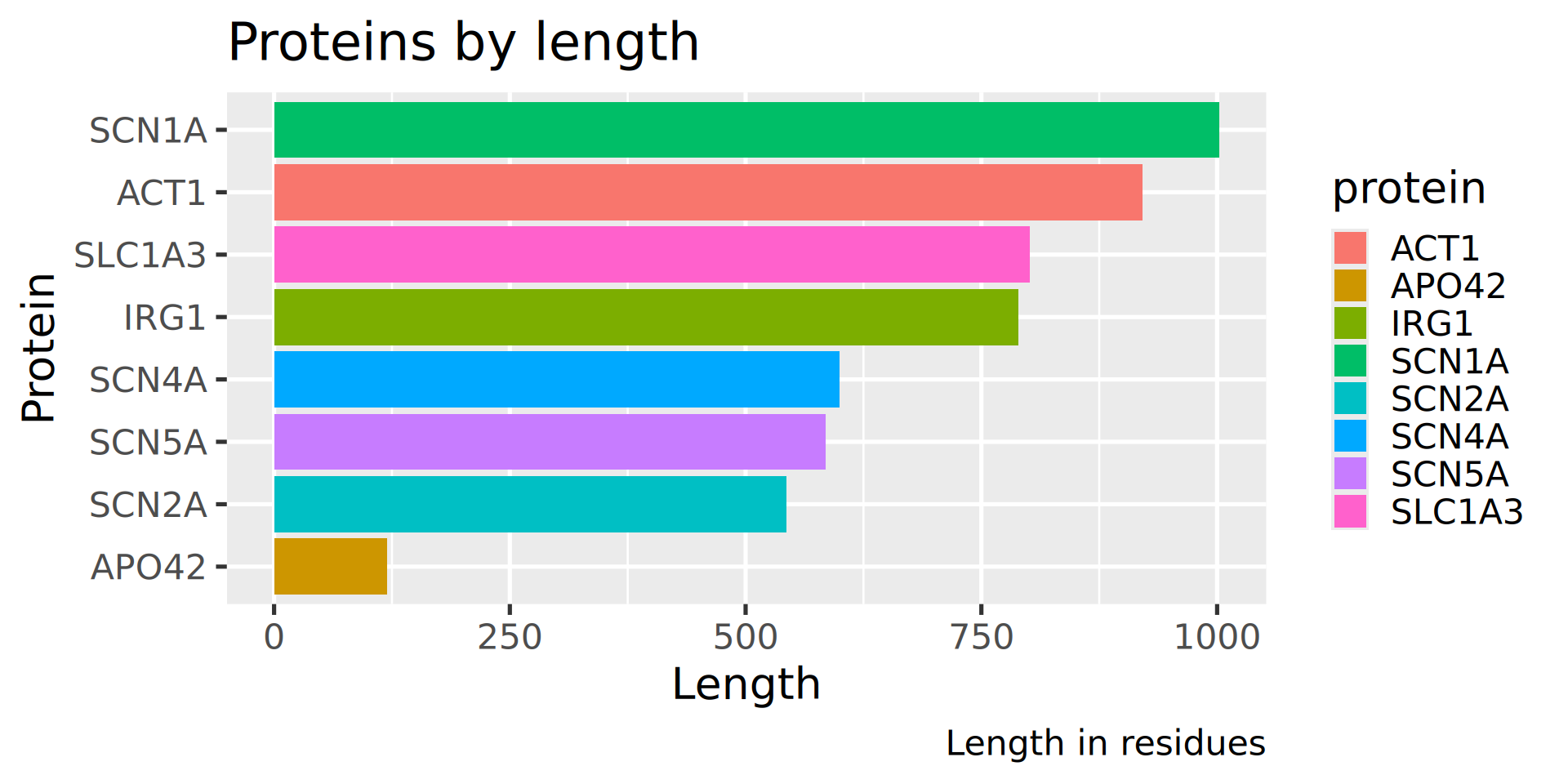

What is wrong here?

New plot title, no surplus legend
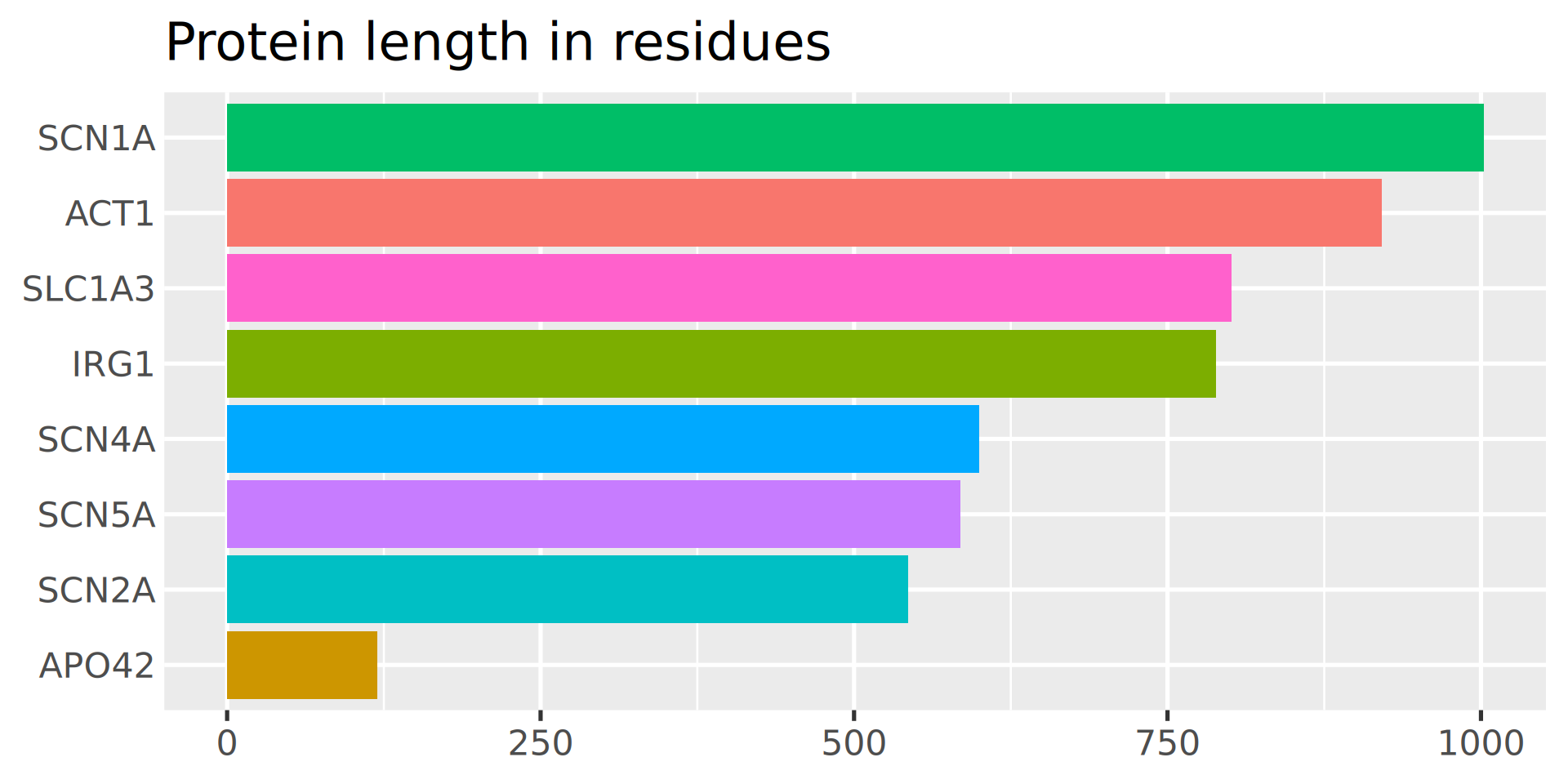

How to increase data to ink ratio?

White background, better spacing
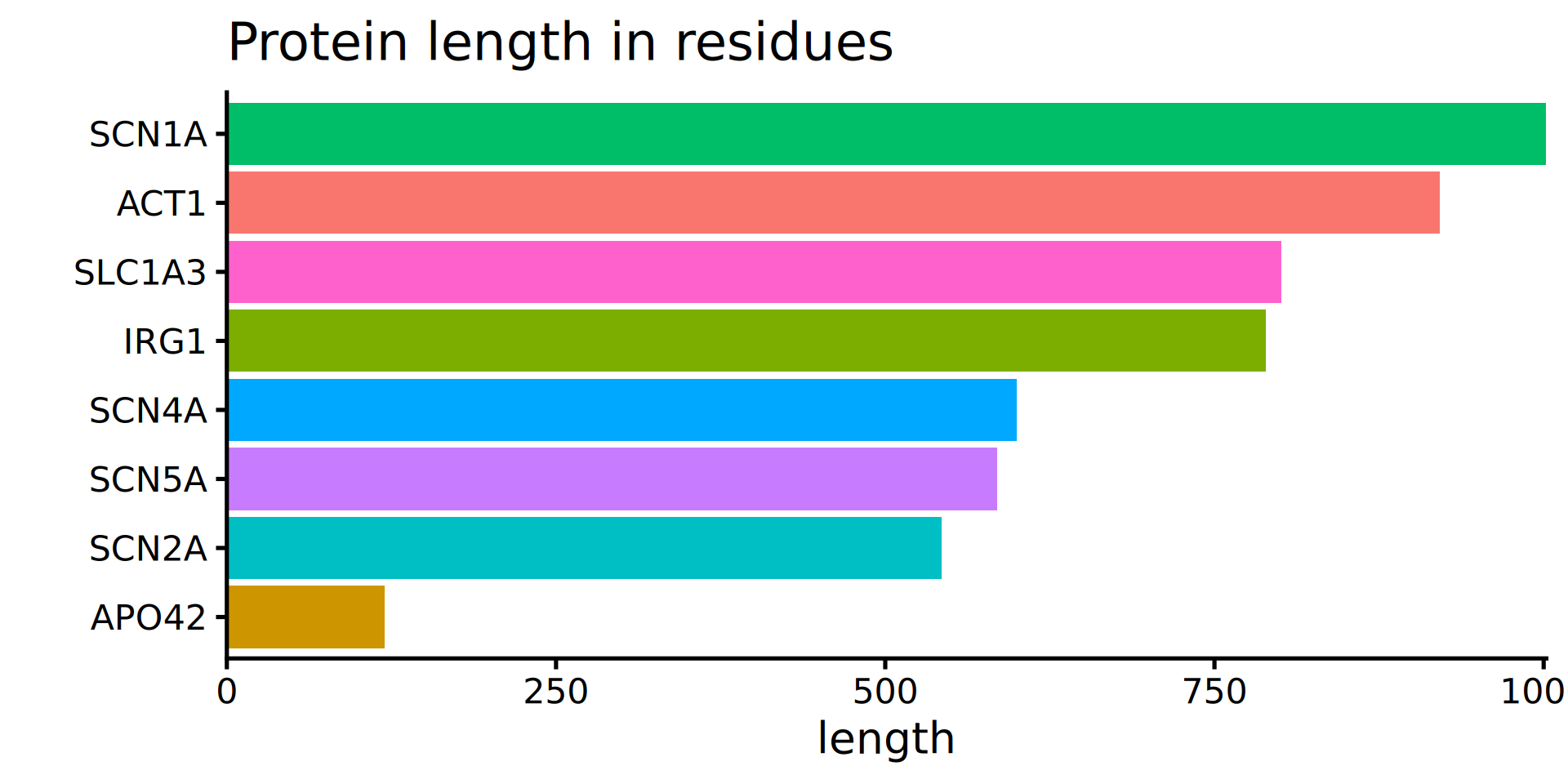

How to increase data to ink ratio?

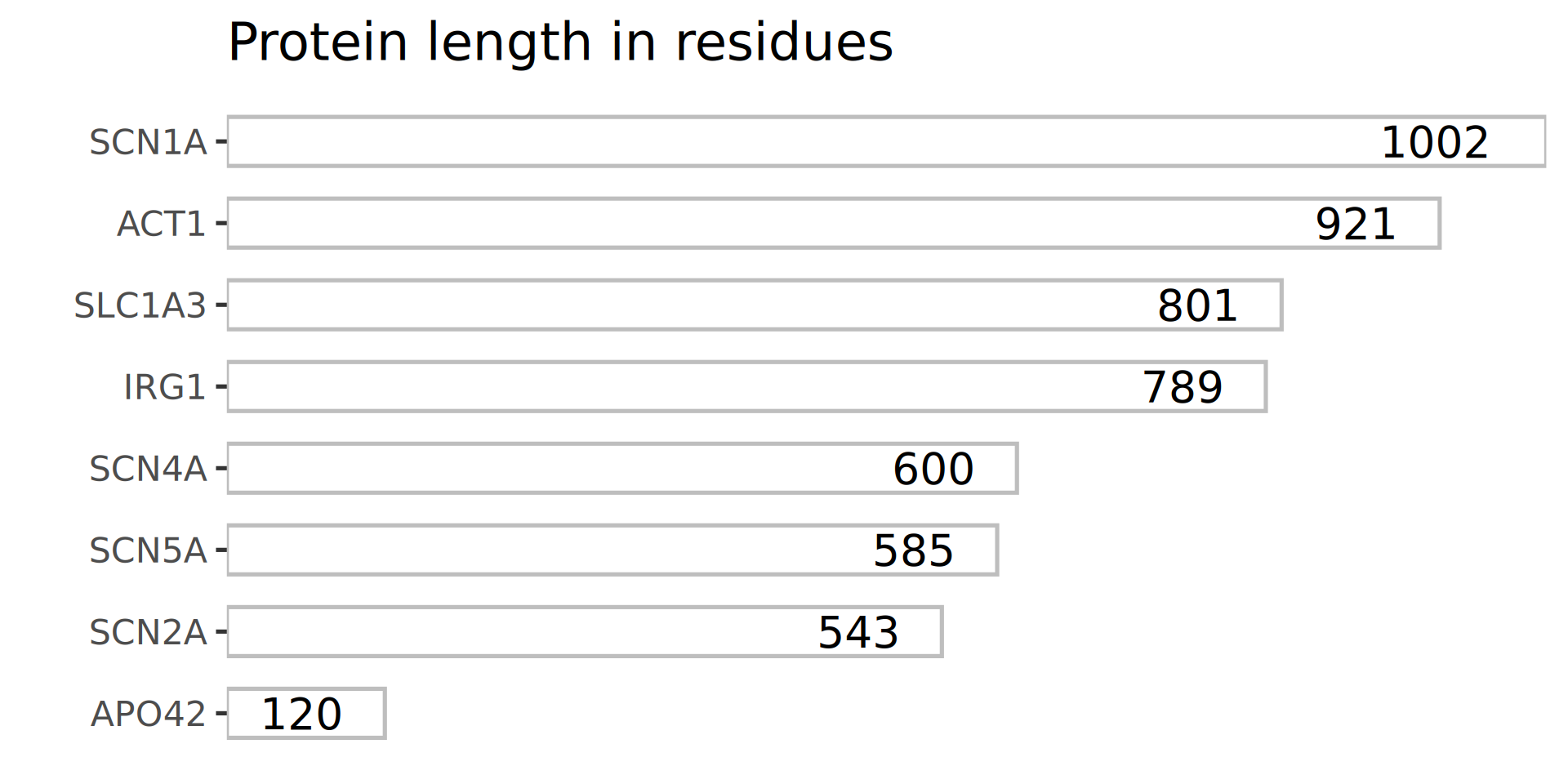
Minimal display: numbers in bars, colour not needed
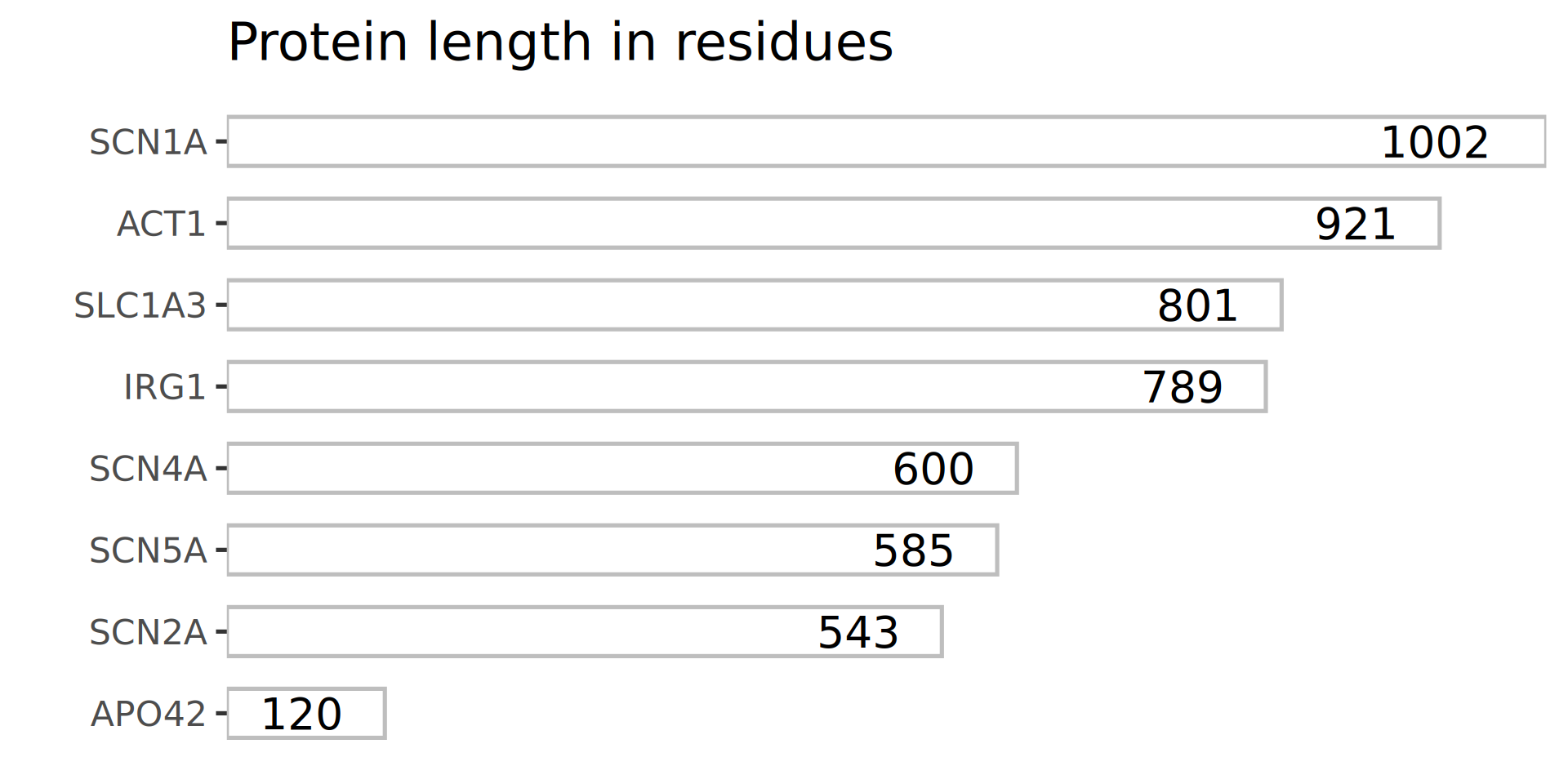

Did we gain anything?


protein length
SCN1A 1002
ACT1 921
SLC1A3 801
IRG1 789
SCN4A 600
SCN5A 585
SCN2A 543
APO42 120


It depends on the purpose of the diagram and its role in your visual narative.

In my narrative, I wanted to show that:

  • sometimes tables are better than diagrams
  • ink should be removed in moderation

Did we gain anything?


Plotting bars in a table is possible with gt using gtExtras package.

dplyr::arrange(my_dat, -length) |>
gt::gt() |>
  gt::tab_options(
    table.font.size = 28)  |>
  gtExtras::gt_plt_bar(
    column = length, 
    color = "#00A4E1", 
    scale_type = "number")
protein length
SCN1A 1 002
ACT1 921
SLC1A3 801
IRG1 789
SCN4A 600
SCN5A 585
SCN2A 543
APO42 120

Guidelines evolve with technology

Tufte’s principles, formulated in 1983, focus on ink, less important currently.

Let’s recap: data visualisation questions


  • Why
    • tasks and audience
  • What
    • visual channels and narrative
  • How
    • guidelines

Hands on exercise

(after 10 min break)

See also Exercises on the course website.

Data visualisation draft


Task
design a visualisation of the Galton dataset (library(mosaicData) data(Galton))
  • Form groups of three
  • Each group will be assigned an audience:
    data scientists or general public
  • Use pen and paper
  • Draft a visualisation illustrating the notion  of regression to the mean
  • Work in groups: 20 min
  • Present your work: 5-10 min per group
family father mother sex height nkids
1 78.5 67.0 M 73.2 4
1 78.5 67.0 F 69.2 4
1 78.5 67.0 F 69.0 4
2 75.5 66.5 M 73.5 4
2 75.5 66.5 M 72.5 4
2 75.5 66.5 F 65.5 4
3 75.0 64.0 M 71.0 2
3 75.0 64.0 F 68.0 2
4 75.0 64.0 M 70.5 5
4 75.0 64.0 M 68.5 5
4 75.0 64.0 F 67.0 5
4 75.0 64.0 F 64.5 5
4 75.0 64.0 F 63.0 5
… and 883 more rows.